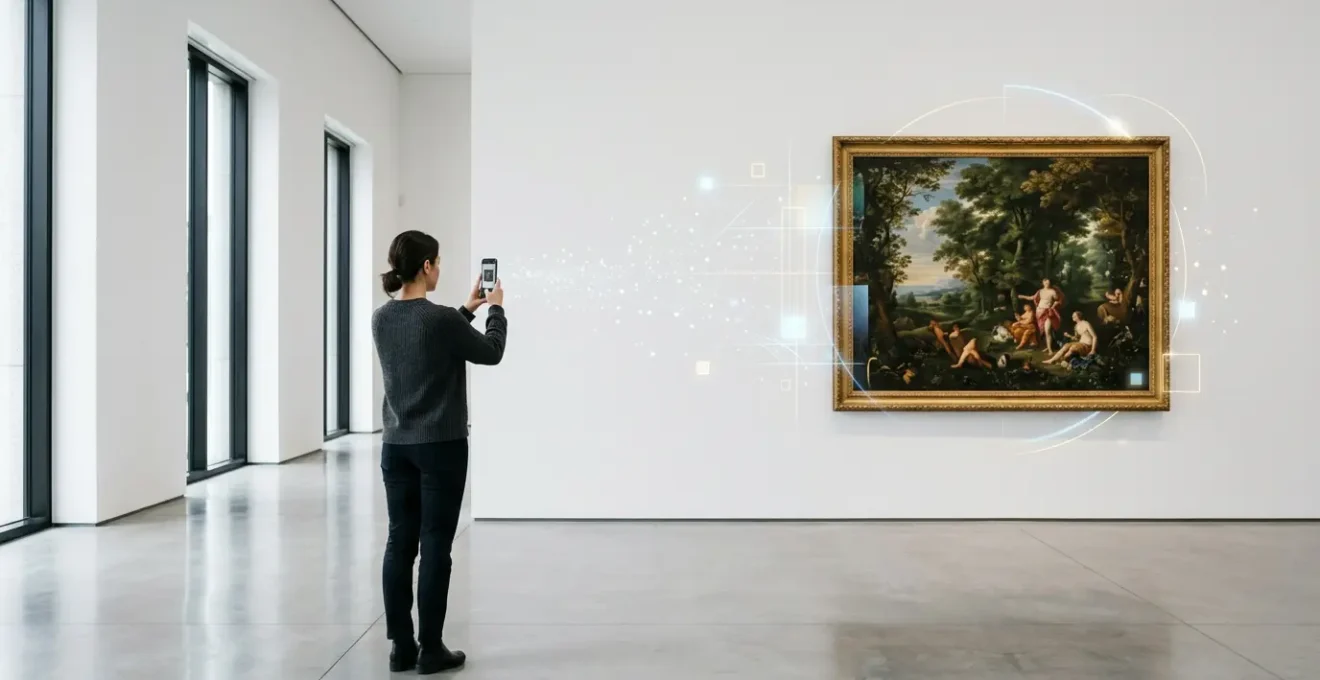
In summary:
- Successful AR integration focuses on storytelling and enhances the original artwork rather than creating a digital gimmick.
- Technical choices must prioritize a frictionless visitor experience, considering battery life, accessibility (WebAR vs. app), and intuitive interaction.
- Non-invasive methods like UV markers or canvas fingerprinting are crucial to link digital content without altering or damaging the physical art.
- Designing for non-technical audiences with clear instructions and passive experiences (like projection mapping) ensures broader engagement.
The weight of an oil painting lies not just in its canvas and pigment, but in its history, its texture, and the silent stories it tells. For the traditional curator or artist, the idea of layering this with digital technology can feel like a betrayal—a step towards spectacle and away from substance. The common advice is to simply “embrace AR” to attract younger audiences, often resulting in experiences that feel like flashy gimmicks, distracting from the very art they are meant to celebrate. This approach risks alienating your core audience and cheapening the gallery’s authentic atmosphere.
But what if the true potential of augmented reality isn’t to shout over the artwork, but to whisper its secrets? The key to a successful integration lies in a philosophy of respect and subtlety. It’s not about turning a painting into a video screen; it’s about using technology as a new kind of museum label, one that can reveal the artist’s initial sketch beneath the final layer, animate the historical context of a scene, or translate the emotional intent behind a brushstroke. It requires a mindset of “technological empathy”—an approach that honors the physical object, the gallery environment, and the visitor’s focus.
This guide moves beyond the platitudes to offer practical, respectful strategies for bridging the analog and digital worlds. We will explore how to anchor animations to delicate surfaces without altering gallery lighting, address the critical visitor pain points of battery drain and access friction, and determine when a physical artwork should stand alone. Ultimately, you will learn to wield AR not as a disruptive force, but as a powerful new tool in your curatorial toolkit, capable of deepening engagement without losing the soul of the art.
To navigate this complex but rewarding landscape, this article is structured to guide you from the foundational “why” to the practical “how.” The following sections break down the key considerations for implementing AR in a way that feels both innovative and authentic.
Summary: A Practical Framework for Integrating AR into Canvas Displays
- Why Do Smartphone AR Experiences Significantly Increase Museum Dwell Time?
- How to Anchor 3D Animations to Oil Paintings Without Altering Gallery Lighting?
- The Software Bloat Problem That Drains Visitor Batteries During Digital Tours
- Dedicated App Downloads or Web-Based AR: Which Guarantees Higher Engagement?
- When Should Physical Artworks Exist Entirely Independently of Their Digital Twins?
- How to Link a Physical Canvas to a Smart Contract Without Damaging the Artwork?
- How to Blend Physical Sculptures with Digital Projections Without Forcing Users to Wear Headsets?
- How to Design Hybrid Physical-Digital Shows for Non-Technical Museum-Goers?
Why Do Smartphone AR Experiences Significantly Increase Museum Dwell Time?
The primary justification for investing in AR is its proven ability to transform passive viewing into active investigation. When a visitor can use their own device to unlock hidden layers of a painting, they are no longer just looking; they are exploring. This shift from observation to participation is the engine behind increased engagement. Instead of spending a few seconds with a piece before moving on, visitors are prompted to pause, interact, and delve deeper into the narrative you’ve crafted. This deeper cognitive processing forges a more memorable connection with the artwork.
This isn’t just theory; the data confirms it. For instance, a prominent tech-forward museum in the Midwest reported a 30% increase in average dwell time per exhibit after implementing smartphone-based AR features. The technology acts as a hook, rewarding curiosity with discovery. A visitor might see an animated overlay showing the painter’s original pencil sketch, or watch a short clip detailing the historical event depicted. Each interaction is a small reward that encourages them to spend more time, not just with the screen, but with the physical artwork itself.
This dynamic is powerful because it leverages a device visitors are already comfortable with. The smartphone becomes a lens for discovery, a tool for seeing the unseen. By providing content that illuminates the artwork’s context, technique, or history, you give visitors a reason to look closer and stay longer. The experience becomes a personal journey of discovery, far more compelling than a static wall label alone. The goal is to make the AR content a catalyst for appreciating the original piece, not a replacement for it.
How to Anchor 3D Animations to Oil Paintings Without Altering Gallery Lighting?
The magic of AR falters if the technology is clumsy. A primary concern for any curator is how to make a digital animation “stick” to a physical canvas reliably without compromising the carefully controlled gallery environment. Traditional image recognition can be fickle, especially under the dramatic, low-light conditions common in museums. Altering your lighting scheme to suit an app is an unacceptable compromise. The solution lies in using anchoring methods that are independent of ambient color and light.
The most respectful and robust approach is to leverage marker-based AR that focuses on texture or discreet physical tags rather than the painting’s image. Instead of asking the software to recognize the entire composition, you give it a unique, high-contrast target to lock onto. This can be a small, tastefully designed QR code printed with archival-safe materials and placed on the artwork’s label or frame. A more advanced method involves creating a “digital fingerprint” of the artwork itself, which is where the physical texture of the painting becomes an asset.
This image demonstrates how the unique topography of an oil painting can be used for tracking. The software isn’t looking at the colors; it’s identifying the unique pattern of brushstrokes, cracks, and canvas weave.
As you can see, the micro-textures of the canvas weave and the three-dimensional quality of the paint create a unique pattern, much like a fingerprint. High-resolution scanning can capture this detail, allowing an AR application to recognize the artwork with incredible precision, even if the lighting changes. This technique, known as feature tracking, ensures that the digital overlay remains perfectly aligned, creating a seamless and convincing experience for the visitor without demanding any changes to your gallery’s aesthetic.
The Software Bloat Problem That Drains Visitor Batteries During Digital Tours
An immersive AR experience is worthless if the visitor’s phone dies halfway through the exhibition. This is the challenge of “software bloat” and inefficient processing—a critical aspect of technological empathy. Many AR applications rely on continuous camera tracking, where the phone’s processor and camera are constantly working to identify images and overlay graphics. This is a massive drain on battery life, creating anxiety for visitors and potentially cutting their entire museum visit short. A visitor worried about their phone battery is not a visitor engaged with art.
Furthermore, the human attention span is fleeting. A 2024 study found that industry attention spans average 8.25 seconds, meaning digital experiences must be immediately rewarding and technically seamless. A slow, battery-hungry app actively works against this. The solution is to design for efficiency by choosing the right processing architecture. Rather than continuous tracking, an event-driven architecture is far more considerate. In this model, the AR experience is triggered only when a user performs a specific action, like scanning a marker or entering a geofenced zone, dramatically reducing processing load.
To make an informed decision, it’s essential to understand the trade-offs between different methods. The following table compares common AR processing techniques and their impact on the user’s device.
| Processing Method | Battery Consumption | User Experience | Technical Requirements |
|---|---|---|---|
| Continuous Camera Tracking | High (20-30% per hour) | Seamless but draining | Constant processing power |
| Event-Driven Architecture | Medium (10-15% per hour) | Triggered interactions | Geofencing or markers |
| Cloud/Server-Side Rendering | Low (5-10% per hour) | Streaming dependent | Strong WiFi infrastructure |
| Predictive Caching | Very Low (3-5% per hour) | Pre-loaded content | On-device ML models |
As the data shows, shifting from continuous tracking to methods like cloud rendering (if you have robust Wi-Fi) or predictive caching (where content is pre-loaded) can cut battery consumption by more than half. This is a crucial curatorial choice; opting for a more efficient technical backend demonstrates respect for the visitor’s time and resources, ensuring the technology remains a pleasant enhancement, not a frustrating burden.
Dedicated App Downloads or Web-Based AR: Which Guarantees Higher Engagement?
Once you’ve solved the technical challenges, you face a critical strategic decision: how will visitors access your AR experience? Do you ask them to download a dedicated museum app, or do you provide a web-based experience accessible directly through their phone’s browser (WebAR)? This choice has profound implications for “frictionless discovery.” The biggest barrier to engagement is often the initial hurdle of a download. Many visitors, especially those on a casual visit, will not bother to search an app store, wait for a download, and sign up just to see one or two augmented pieces.
For this reason, WebAR is almost always the superior choice for permanent collections or widespread use within a gallery. It eliminates the download barrier entirely. A visitor simply scans a QR code and the experience launches in their browser. This low-friction approach maximizes participation. However, dedicated apps have their place. For a major, temporary exhibition, an app can create a more immersive, branded experience. The National Gallery in London, for example, successfully used a downloadable app for its street AR experience, turning the city into a gallery. This worked because the event itself was the draw; the app was the ticket to that exclusive event.
Ultimately, the decision depends on your goal. If you want the maximum number of visitors to engage with AR content on an everyday basis, choose the path of least resistance: WebAR. If you are creating a premium, contained experience for a blockbuster show where visitors are already highly motivated, a dedicated app can offer more power and control. A hybrid approach can also work, using WebAR for casual interactions and offering an app for enthusiasts who want more content.
Regardless of the platform, the goal is to foster moments of shared discovery. The right technology should feel so intuitive that it encourages social interaction, allowing groups to experience the digital layer together, sparking conversations that lead back to the physical art.
When Should Physical Artworks Exist Entirely Independently of Their Digital Twins?
The most important part of any technology strategy is knowing when not to use it. In the rush to innovate, it’s easy to fall into the trap of thinking every artwork needs a “digital twin.” This is a mistake. The purpose of AR is to add a layer of story or context that is not immediately visible. If the artwork is already profoundly complete on its own, or if a digital overlay would distract from its intended emotional impact, then the most respectful choice is to let it be. Not every painting needs to be augmented; some are meant to be contemplated in silence.
The decision to augment should be story-driven. Ask yourself: is there a hidden narrative here that technology can uniquely reveal? For a historical painting, perhaps it’s showing the modern-day location. For an abstract piece, maybe it’s visualizing the musical score that inspired the artist. But for a powerful portrait where the entire story is in the subject’s eyes, an animation might be a violation. Curatorial restraint is as important as technical skill. The AR experience should feel like a discovery, not an obligation.
This philosophy is about creating a “digital soul,” not just a digital twin. A twin is a mere copy; a soul is the meaning, the history, the human element behind the work. This sentiment is perfectly captured by ARHistory founder David Oldham:
It’s not about technology for its own sake, but about using it to tell stories that matter
– David Oldham, ARHistory founder
The continued relevance of physical museums, proven by reports showing that 33% of US adults visited a museum in 2024, underscores that people crave authentic, tangible experiences. Technology should serve that craving, not replace it. The most successful hybrid exhibitions are those that create a balanced dialogue between the physical and the digital, where each element enhances the other, and where some pieces are confidently left to speak for themselves.
How to Link a Physical Canvas to a Smart Contract Without Damaging the Artwork?
Beyond visitor engagement, AR and related technologies offer profound new capabilities for provenance and authentication, particularly through the use of smart contracts and NFTs. The challenge, as always, is one of respect for the physical object. How do you create an unbreakable link between a physical canvas and its digital certificate of authenticity without resorting to invasive tags or altering the artwork itself? The answer lies in non-destructive digital fingerprinting methods.
Attaching a visible QR code or a bulky NFC chip directly to a priceless painting is out of the question. Instead, conservators and technologists have developed several ingenious, non-invasive techniques. One method involves using archival-safe, transparent UV-reactive ink to print an invisible marker on the edge of the canvas or frame. It’s completely unseen under normal gallery lighting but reveals a unique code under a specific UV wavelength. Another approach is to embed micro NFC chips within a custom museum frame, which can be scanned without ever touching the artwork.
The most sophisticated methods, however, treat the artwork’s unique physical characteristics as the link itself. Just as we can use the texture of a canvas for AR tracking, we can use high-resolution 3D scans to map the unique surface craquelure—the pattern of fine cracks in old paint—as a one-of-a-kind identifier. This “digital fingerprint” is impossible to forge and can be stored on a blockchain, forever linking the physical object to its smart contract. This principle of using AI and computer vision to create secure digital identities for physical objects is already being used in archive management by institutions like the Smithsonian, proving its viability.
Your Action Plan: Linking Art to the Blockchain Non-Invasively
- Invisible Markers: Investigate archival-safe, transparent UV-reactive inks to apply an invisible QR code on the stretcher bar or frame edge, not the canvas.
- Smart Framing: Commission custom museum frames with embedded micro NFC chips, creating a scannable link without physical contact with the artwork.
- Canvas Fingerprinting: Partner with a tech provider to create a high-resolution digital “fingerprint” of the unique canvas weave patterns as a secure identifier.
- Craquelure Mapping: For older works, use non-contact 3D scanning to map the unique surface craquelure pattern, creating a forgery-proof link to a smart contract.
- Hybrid Authentication: Implement a double-witness protocol that combines a discreet physical marker with a digital signature from the artist or estate for maximum security.
How to Blend Physical Sculptures with Digital Projections Without Forcing Users to Wear Headsets?
While smartphone AR offers a personal lens, some experiences are best shared. How can you create a large-scale, immersive digital overlay for a sculpture or an entire room without requiring every visitor to wear a headset or hold up a phone? The answer is projection mapping, a technology that turns physical objects and architectural surfaces into dynamic video displays. This creates a headset-free AR experience that is communal and instantly accessible to everyone in the room.
Projection mapping uses specialized projectors and software to “wrap” light around three-dimensional objects. You could project the original painted colors onto a weathered marble statue, or create an animation that flows across a series of sculptures. The National Museum of Singapore’s “Story of the Forest” installation is a landmark example, where historical drawings were transformed into three-dimensional animations projected throughout a vast space. Visitors could interact with the projections, creating a shared, magical experience without any personal device required. This approach is particularly effective for non-technical audiences, as there is zero learning curve.
Of course, projection mapping is just one of several headset-free technologies. Each comes with its own requirements, costs, and experiential qualities. Understanding these options is key to choosing the right solution for your space and budget.
| Technology | Equipment Needed | Visitor Experience | Installation Cost |
|---|---|---|---|
| Projection Mapping | Projectors + Sensors | Shared, passive viewing | High initial investment |
| Transparent OLED Displays | Specialized screens | Walk-around interaction | Very high |
| Volumetric/Fog Projection | Haze machines + projectors | 360-degree viewing | Medium to high |
| Interactive Floor/Wall Projection | Projectors + motion sensors | Physical interaction | Medium |
From interactive floors that react to footsteps to transparent OLED screens that overlay digital content on the real world behind them, these technologies move AR from a solitary activity to a collective spectacle. While the investment can be significant, the payoff is a “wow” moment that is inclusive and requires no technical proficiency from the visitor, making it a powerful tool for large-scale storytelling.
Key takeaways
- Prioritize Story Over Spectacle: Technology must serve the artwork’s narrative, not overpower it. Use AR to reveal hidden context, not just for flashy effects.
- Optimize for a Frictionless Visitor Experience: Respect your visitors by choosing battery-efficient technology and low-barrier access methods like WebAR to maximize engagement.
- Choose Technology with Empathy: Every technical decision must honor the integrity of the art, the aesthetics of the gallery, and the comfort of the audience.
Frequently asked questions on How to Integrate Augmented Reality Overlays into Traditional Canvas Displays?
How can museums ensure AR experiences are accessible to visitors without smartphones?
Museums can provide loaner devices, implement projection-based AR that doesn’t require personal devices, or ensure all digital content has an analog alternative that delivers a complete experience.
What about visitors who are uncomfortable with technology?
Design experiences using ‘Zero UI’ philosophy where interactions are triggered by natural behaviors like walking into a zone or pointing at an object, rather than complex button interfaces.
How can museums avoid excluding older generations?
Research shows visitors aged 55+ can have positive AR experiences when the interface is intuitive. Museums should provide clear instructions and ensure staff can assist with setup.
How to Design Hybrid Physical-Digital Shows for Non-Technical Museum-Goers?
The success of any hybrid exhibition ultimately rests on its accessibility to the widest possible audience, including those who are hesitant or unfamiliar with technology. Designing for non-technical museum-goers requires a philosophy of radical simplicity and intuitive guidance. The technology should disappear into the background, with interactions feeling natural rather than like a computer task. This starts with crystal-clear instructions presented in a simple, visual format at the entrance to the exhibit.
On-site staff are your most valuable asset. A friendly docent who can spend 30 seconds showing a visitor how to launch the experience is more effective than any manual. Empowering your team to be tech ambassadors turns potential frustration into a welcoming, personal interaction. Furthermore, the design of the experience itself should follow a “Zero UI” (User Interface) philosophy where possible. Instead of asking users to navigate complex menus, interactions can be triggered by their physical presence, such as walking into a specific zone to activate a projection or simply pointing their phone at a piece to begin the AR overlay automatically.
This inclusive approach is not just about accommodating different skill levels; it’s about better curatorial practice. As a survey from the Museums and Heritage Advisor highlights, “AR works best when curators, designers, educators and communities come together to shape how it’s used.” By involving diverse user groups in the design process and prioritizing ease of use, you ensure that the digital layer is a bridge, not a barrier, making the art more accessible to everyone.
By thoughtfully applying these principles of respectful integration, you can begin crafting AR experiences that honor your collection and captivate your audience. The next logical step is to pilot a small-scale project with a single artwork to test these concepts in your own space.