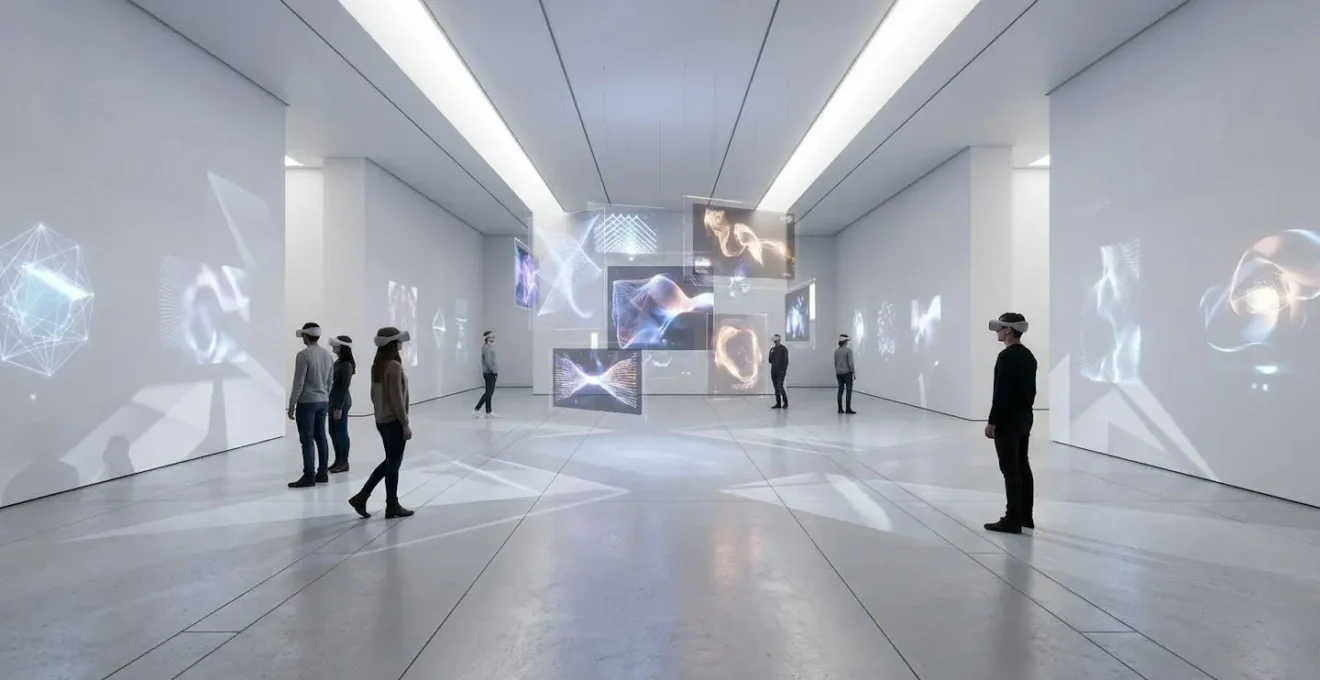
The key to monetizing digital art isn’t high-end VR exclusivity, but a scalable web-based experience that funnels users towards premium content.
- Prioritise a browser-based (WebGL) gallery for maximum accessibility and audience reach without downloads or special hardware.
- Implement tiered pricing and season passes to create multiple, sustainable revenue streams from a single exhibition.
Recommendation: Adopt a ‘standalone-first’ strategy, optimising for seamless web performance while using exclusive headset content as a valuable and profitable upsell.
As a digital gallery director or tech-forward curator, you have likely invested significant resources into creating breathtaking virtual reality (VR) installations. Yet, the initial excitement often fades, replaced by a pressing question: how do we turn these costly experiments into a sustainable source of revenue? The common advice to simply “build a virtual gallery” or “focus on better graphics” misses the fundamental business challenge of audience scale and monetisation. Many institutions find themselves with a high-fidelity, headset-dependent experience that caters to a niche audience, struggling with retention and failing to generate a meaningful return on investment.
The conversation around digital art monetisation is often stuck in a false dichotomy: the immersive but inaccessible world of high-end VR versus the limited fidelity of a standard webpage. This perspective overlooks the most potent strategy available today. The secret to profitability lies not in choosing one over the other, but in architecting a unified ecosystem. The true financial potential is unlocked by shifting your mindset from ‘headset-first’ to ‘web-first’. By leveraging the universal accessibility of the web browser as your primary platform, you can attract a mass audience and then strategically guide them through an ‘accessibility-to-exclusivity funnel’ towards premium, ticketed experiences.
This guide provides a commercial and highly practical framework for exactly that. We will deconstruct the technical barriers, explore sophisticated pricing models, and detail a content strategy that drives both initial ticket sales and long-term audience engagement. By the end, you will have a clear blueprint for transforming your spatial digital art from a financial liability into a thriving, profitable venture.
To navigate this comprehensive strategy, this article is structured to guide you step-by-step from understanding audience behaviour to the technical details of web deployment. The following summary outlines the key pillars of building a profitable virtual exhibition.
Summary: A Practical Guide to Monetising Spatial Digital Art
- Why Do Headset-Based Exhibitions Struggle with Sustained Audience Retention?
- How to Price Virtual Admission Tickets Competitively for UK Audiences?
- The Motion Sickness Trigger That Forces Users to Abandon VR Installations
- Tethered PC VR or Standalone Headsets: Which Delivers a Better Gallery Experience?
- When is the Optimal Time to Release Downloadable Extensions for Virtual Shows?
- How to Host a 3D Gallery Replica on a Standard Institutional Web Server?
- WebGL Native Platforms or Embedded Plugins: Which Reaches a Wider Audience?
- How to Optimise 3D Spatial Files for Seamless Integration into Web Galleries?
Why Do Headset-Based Exhibitions Struggle with Sustained Audience Retention?
The primary challenge for headset-based exhibitions is the inherent friction of the medium. Unlike passive media, VR demands active participation, dedicated time, and specific hardware. While corporate applications like VR training demonstrate a retention rate of 75%, this is because they are goal-oriented and often mandatory. An art experience, by contrast, must compete for leisure time and continuously prove its value to justify the effort of putting on a headset. The novelty wears off quickly if the content is static, leading to significant audience drop-off after the initial visit.
High-end cinematic VR productions, such as those from the Emmy-winning Felix & Paul Studios, achieve critical acclaim by creating deeply compelling, story-driven content. They set a high bar for quality but operate with production budgets that are often unattainable for a typical gallery or museum. For most institutions, the core issue is a mismatch between a ‘one-and-done’ content model and the need for recurring engagement. When a user has seen the exhibition once, there is little incentive to return, and the potential for repeat revenue is lost.
To combat this, you must think of your virtual show not as a static display, but as an evolving platform. Building a sustainable model requires implementing strategic monetisation hooks that encourage repeat visits. Key strategies include:
- Episodic Content: Structure the exhibition in chapters or parts that are released over time, encouraging users to buy a season pass.
- Social Features: Incorporate shared spaces, guided tours with live artists, or community events. A survey has shown that 77% of VR users desire more social capabilities.
- Gamified Discovery: Hide “Easter eggs,” secret artworks, or interactive puzzles within the environment that are updated periodically, rewarding dedicated fans.
- Post-Show Communities: Create exclusive Discord channels or forums for ticket holders to discuss the art, providing ongoing value long after the virtual visit ends.
How to Price Virtual Admission Tickets Competitively for UK Audiences?
Pricing virtual tickets requires a delicate balance. You are not selling a physical visit, so direct comparisons to on-site admission can be misleading. Instead, the price must reflect the perceived value, exclusivity, and convenience of the digital experience. For UK audiences, this means benchmarking against other digital entertainment options—like streaming service rentals (£4-£15), online masterclasses (£15-£30), or other paid virtual events. A rigid, single-price model is a missed opportunity. A dynamic and tiered approach allows you to capture revenue from different audience segments, from the casually curious to the dedicated collector.
This concept of content layering is crucial. Instead of one ticket, you create an accessibility-to-exclusivity funnel with multiple entry points. Consider the following tiered structure:
A successful pricing strategy is not static. A dynamic model, which adjusts prices based on demand, timing, and visitor data, can significantly boost revenue. For example, by implementing a dynamic system, the Indianapolis Zoo’s dynamic pricing system offers prices ranging from $8 to $29.95, optimizing attendance and income. This same logic can be applied to virtual shows by offering early-bird discounts to build momentum or charging a premium for “opening night” virtual events with the artist present.
The following table, based on an analysis of different monetisation strategies, breaks down the most effective models for virtual exhibitions.
| Pricing Model | Description | Best For | Revenue Potential |
|---|---|---|---|
| Tiered Access | Multiple ticket levels (General, Premium, Collector’s) | Virtual exhibitions with extras | High – captures different price points |
| Dynamic Pricing | Prices adjust based on demand and timing | Popular exhibitions | 35% increase in per capita revenue |
| Season Pass | All-inclusive access to future content | Ongoing virtual shows | Guaranteed recurring revenue |
| Early Bird Discounts | Lower prices for advance purchase | Building initial momentum | Moderate – drives early sales |
The Motion Sickness Trigger That Forces Users to Abandon VR Installations
The single greatest physiological barrier to VR adoption is not graphical fidelity or content, but motion sickness. Known technically as vestibular mismatch, it occurs when your eyes perceive movement that your inner ear does not. When a user glides smoothly through a virtual gallery using a joystick, their visual system says “I am moving,” but their body’s vestibular system says “I am stationary.” This sensory conflict can quickly trigger nausea, headaches, and disorientation, causing users to abandon the experience and associate your gallery with physical discomfort—a death knell for retention.
To mitigate this, developers must avoid artificial locomotion (smooth joystick movement) at all costs. The industry-standard solution is teleportation-based movement. With this method, the user points a controller to a desired spot on the floor and, with a button press, instantly appears there. Because there is no perception of movement, the vestibular mismatch is eliminated. While some argue it breaks immersion, it is a non-negotiable trade-off for accessibility. An experience that is comfortable for 100% of users is infinitely more valuable than a “more immersive” one that makes 30% of them feel ill.
Beyond the immediate physical barriers, there are also significant hardware and cost hurdles that limit the audience for headset-based experiences. As the market analysis firm GlobalWebIndex noted in its survey on virtual reality:
Hardware costs are a high barrier to reducing the adoption rate of virtual reality
– GlobalWebIndex, Virtual Reality Statistics Survey
This financial barrier, combined with the risk of motion sickness, reinforces the argument for a web-first strategy. By making your primary experience accessible in a browser, you remove both the physical and financial friction, saving the headset-only version for a dedicated—and prepared—niche audience.
Tethered PC VR or Standalone Headsets: Which Delivers a Better Gallery Experience?
The debate between tethered PC VR and standalone headsets is a crucial strategic decision. Tethered systems (like the Valve Index or high-end HTC Vive models) connect to a powerful gaming PC, offering unparalleled graphical fidelity and processing power. They can render complex lighting, high-polygon models, and vast environments. However, they are expensive, cumbersome, and limit the user’s movement, creating a high barrier to entry. Standalone headsets (like the Meta Quest series), by contrast, are self-contained, wireless, and significantly more affordable, making them the dominant force in the consumer market.
From a monetisation perspective, the choice is clear: you must prioritise the platform with the largest addressable audience. An analysis of the market shows that Meta has sold more than 20 million units of its Quest headsets, creating a massive, accessible install base that dwarfs the niche PC VR market. Developing for this platform ensures your ticketed experience can reach the maximum number of potential buyers. The strategy should be a “standalone-first” philosophy, where the core experience is designed and optimized to run flawlessly on the mobile chipset of a standalone headset. The ultra-high-fidelity PC VR version then becomes an optional, premium enhancement rather than the default.
This approach forces disciplined performance budgeting during development, which has the added benefit of making your assets more easily adaptable for a web-based version. The constraints of a mobile processor necessitate optimizations like baked lighting and lower polygon counts, which are also best practices for fast-loading WebGL experiences.
Your Action Plan: Choosing the Right VR Platform
- Assess Target Audience Size: Prioritise standalone headsets to achieve mass-market scalability and maximise your potential ticket sales.
- Adopt a ‘Standalone-First’ Design: Create a robust baseline experience optimised for mobile chipset constraints (e.g., baked lighting, lower polygon counts).
- Leverage Cloud Rendering: For high-demand experiences, implement solutions like NVIDIA CloudXR to stream PC-quality graphics to standalone headsets, offering the best of both worlds.
- Optimise for Accessibility: Test your “link-to-launch” time. A user should be able to access the experience within 15 seconds without complex downloads or setups.
- Plan for Cross-Platform: Use development frameworks that allow easy porting between standalone, PC VR, and WebGL to create a unified ecosystem.
When is the Optimal Time to Release Downloadable Extensions for Virtual Shows?
A one-time ticket sale is a limited monetisation strategy. The key to long-term revenue is transforming a single exhibition into an ongoing service through downloadable content (DLC) and extensions. The data is encouraging: a recent study found that 88% of VR users engage with their headsets multiple times a month, indicating a willingness to return for fresh content. Your goal is to capture this recurring interest. Instead of launching a complete, static show, you should plan a content roadmap from day one and sell it to your audience.
The optimal time to announce and sell extensions is at the initial launch. This is where the “Season Pass” model, borrowed from the video game industry, becomes incredibly powerful. At the point of initial purchase, you offer customers not just the main exhibition but also the opportunity to pre-purchase all future content—artist talks, new wings of the gallery, “behind-the-scenes” making-of documentaries—at a discounted bundle price. This secures upfront revenue, guarantees an audience for future releases, and builds a loyal community of supporters invested in your programme’s long-term success.
This model fundamentally changes the relationship with your audience from a simple transaction to a patronage model, fostering a stronger connection. The following case study highlights the core principle of this approach.
Case Study: Pre-selling Season Passes for Ongoing Engagement
By offering exclusive VR content, early access to new experiences, or behind-the-scenes insights, content creators can effectively incentivise their audience to support their work financially before it is even released. This model not only fosters a closer connection with the audience but also provides a steady, predictable income stream to fund future development. It turns viewers into patrons who are actively invested in the success and continuation of the virtual show.
The release schedule should be rhythmic and predictable. For example, you could release a new “content drop” on the first of every month, creating an appointment-viewing habit. This cadence keeps the exhibition fresh, fuels word-of-mouth marketing, and provides a continuous reason for users to return, dramatically increasing the lifetime value of each customer.
How to Host a 3D Gallery Replica on a Standard Institutional Web Server?
The cornerstone of a scalable monetisation strategy is a web-based 3D gallery. This removes the need for headsets or powerful PCs, making your exhibition accessible to anyone with a browser. While it may seem technically daunting, hosting a 3D experience on a standard institutional web server is entirely feasible with modern web technologies. You do not need specialized, expensive “metaverse” platforms. The key is to use a lightweight, client-side framework and optimize your assets relentlessly.
The most accessible technology for this is WebGL, a JavaScript API that renders 2D and 3D graphics directly in the browser without plugins. Frameworks like A-Frame (built on top of Three.js) are particularly powerful, as they allow you to create VR and 3D scenes using simple HTML-like tags. This means your existing web development team can quickly learn to build and deploy these experiences. The core principle is to keep the experience client-side: the 3D assets and logic are downloaded once by the user’s browser, and the server is only used to deliver the initial files and handle dynamic API calls for things like ticket validation or user accounts.
This technical architecture, where the server acts as a simple file host, is incredibly efficient and scalable.
To handle traffic spikes during a popular launch, you should not rely solely on your institution’s single server. Instead, deploy the site using a Content Delivery Network (CDN). A CDN distributes copies of your 3D files across a global network of servers, so when a user in another country accesses your gallery, they download the files from a server physically close to them. This drastically reduces load times and ensures your site remains fast and responsive even under heavy load, all while running on a basic hosting plan. This setup gives you full control, ownership of your data, and a robust platform for selling tickets directly.
WebGL Native Platforms or Embedded Plugins: Which Reaches a Wider Audience?
When deploying a web-based gallery, you face a critical choice: use a proprietary, embedded plugin from a Platform-as-a-Service (PaaS) provider, or build a native WebGL experience that you host yourself. PaaS solutions offer template-based, easy-to-use interfaces that can get a gallery online quickly. However, this convenience comes at a significant cost: loss of control, branding limitations, and, most importantly, dependence on a third-party platform that may share or own your visitor data.
A native WebGL approach, while requiring more initial technical setup, is strategically superior for any institution serious about long-term monetisation and brand integrity. It provides complete control over the user experience, from the custom interface to the ticketing flow. Crucially, it guarantees maximum accessibility. As noted by digital art consultant Karen Frances Eng in her analysis of virtual exhibition tools:
Most of the platforms surveyed are fully accessible via desktop or mobile browser… there are plenty of barrier-free ways to create and explore virtual exhibitions without needing specialized equipment
– Karen Frances Eng, So You Want to Make a Virtual Exhibition?
This “barrier-free” access is the key to reaching the widest possible audience. A self-hosted WebGL experience lives on your own URL, requires no app downloads, no account creation on another service, and works on desktop and mobile. This frictionless entry is essential for converting casual interest into a ticket sale. The following table, based on the same comparative analysis, starkly illustrates the trade-offs.
| Aspect | WebGL Native (Self-Hosted) | Platform-as-a-Service |
|---|---|---|
| Accessibility | Direct browser access, no downloads | May require app or account |
| Control | Full brand ownership and customization | Limited by platform constraints |
| Setup Complexity | Requires technical knowledge | Easy, template-based |
| Data Ownership | Complete control of visitor data | Platform owns/shares data |
| Long-term Viability | Self-maintained, platform-independent | Dependent on service continuity |
Key Takeaways
- Focus on web-first accessibility (WebGL) to build a wide audience base before upselling to niche, high-fidelity experiences.
- Implement a tiered and dynamic pricing model (General, Premium, Collector’s Pass) to capture maximum value from different audience segments.
- Design content as an evolving experience with scheduled DLC and season passes to drive retention and create predictable, recurring revenue.
How to Optimise 3D Spatial Files for Seamless Integration into Web Galleries?
A web-based gallery is only successful if it’s fast. Users will not wait more than a few seconds for a 3D environment to load. Therefore, aggressive and intelligent performance budgeting is not just a technical detail—it is a core component of your commercial strategy. Every unoptimized texture and every unnecessary polygon increases load times and user abandonment, directly impacting your ticket sale conversions. The goal is to deliver a visually compelling experience that loads almost instantly on an average internet connection.
The most impactful optimization is using the right file format and compression. The industry standard for web 3D is glTF (GL Transmission Format), often called the “JPEG of 3D.” It’s a compact format designed specifically for efficient transmission over the web. Within glTF, you can apply Google’s Draco compression to the mesh geometry. This technology is transformative; an analysis shows that in many cases, Draco can reduce filesize by approximately 95% for models where geometry is the dominant factor, with minimal visual degradation. This single technique can turn a multi-minute download into a near-instant load.
Beyond compression, a disciplined approach to asset creation is vital. This includes techniques like texture atlasing (combining multiple smaller textures into a single large one to reduce server requests) and baking lighting (pre-calculating shadows and light effects into the textures to eliminate expensive real-time calculations in the browser). Creating multiple Levels of Detail (LODs) for each object allows the browser to automatically load a simpler version of a model when it’s far away and a more detailed one as the user gets closer, ensuring a smooth frame rate at all times.
Checklist: Essential 3D Optimisation for Web Galleries
- Convert to glTF/GLB: Ensure all models are in the glTF/GLB format, specifically designed for web efficiency and compact file sizes.
- Apply Draco Compression: Use glTF-Transform or similar tools to apply Draco compression to all mesh geometry for a drastic reduction in file size.
- Implement Texture Atlasing: Combine multiple material textures into a single sheet to minimise draw calls and reduce the number of files the browser needs to download.
- Bake All Lighting: Pre-calculate all static lighting, shadows, and ambient occlusion directly into your textures to eliminate costly real-time rendering calculations.
- Create and Assign LODs: Generate at least three Level of Detail (LOD) versions for each major asset to allow for automatic quality scaling based on the user’s distance.
Begin implementing this strategic framework today to transform your digital installations from costly experiments into profitable, engaging, and widely accessible art exhibitions.