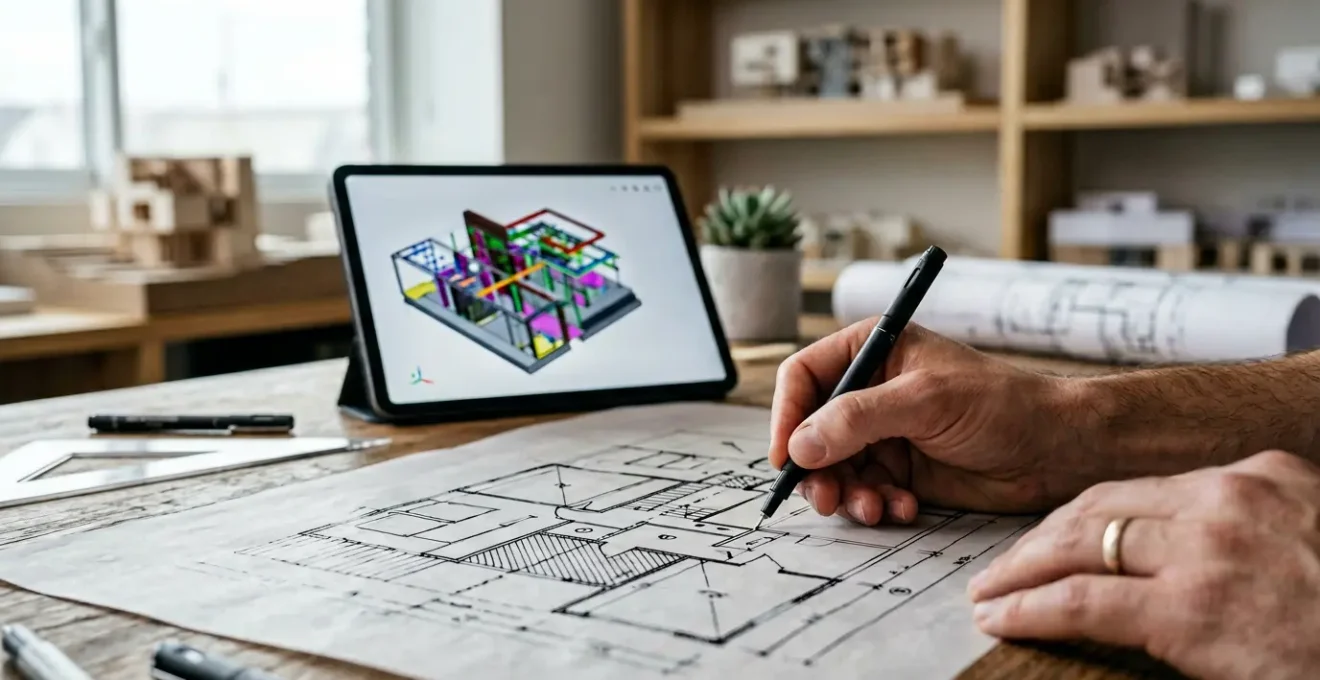
The purely digital architectural workflow, while efficient, often produces sterile, uninspired buildings by sacrificing the cognitive depth and emotional resonance inherent in analog methods.
- Hand-drawn sketches foster a powerful emotional connection with clients, leading to quicker approvals and more collaborative projects.
- A cyclical “hybrid loop,” moving between physical models and digital tools, creates a continuous feedback process that enriches design intuition and prevents costly errors.
Recommendation: Instead of viewing analog and digital as opposing forces, master architects must strategically weave them into a unified workflow to restore the ‘soul’ and spatial intelligence to their practice.
In the modern architectural studio, the hum of servers and the click of a mouse have largely replaced the whisper of graphite on vellum. Digital workflows, powered by CAD and BIM, have brought unparalleled efficiency, precision, and collaborative power to our profession. They allow for rapid iteration, complex simulations, and global teamwork. Yet, for many senior architects and design directors, a nagging feeling persists amidst this hyper-digital reality: a sense that something vital has been lost. Our buildings are more perfect, yet they often feel less profound. The process is faster, yet the results can feel soulless.
The common response is to pay lip service to a “hybrid approach,” treating sketching as a nostalgic preliminary step before the “real” work begins on screen. But this misses the point entirely. The challenge isn’t simply to *use* both analog and digital tools, but to integrate them into a cohesive, intelligent system. This requires moving beyond the platitudes about “creativity” and understanding the deeper mechanics at play.
The true key lies in recognizing that integrating analog methods is not about a retreat into the past; it is a deliberate strategic maneuver. It’s a workflow designed to re-inject cognitive friction, emotional resonance, and haptic knowledge into a process that, left unchecked, defaults to sterile perfection. This guide is for the master architect who feels this disconnect and is ready to bridge the analog-digital divide, not out of nostalgia, but as a commitment to better architecture.
This article will deconstruct the specific, high-stakes moments in the architectural process where the hand and the mouse must meet. We will explore not just the ‘what’ but the ‘why’ and ‘how’—from securing client buy-in with a simple sketch to preventing disastrous on-site collisions by thinking in three dimensions from day one.
Summary: A Senior Architect’s Guide to Merging Hand Drafting and Digital Design
- Why Do Hand-Drawn Concept Sketches Secure More Client Approvals Than 3D Renders?
- How to Digitize Large-Format Vellum Drawings Without Distorting Scale Proportions?
- The Scaling Discrepancy That Ruins Transitions from Tracing Paper to CAD
- Traditional Ink Pens or Graphite Lead: Which Scans Better for Digital Archiving?
- When Should Lead Architects Move from Physical Modelling to Digital Drafting?
- Why Do Open-Plan Studio Layouts Improve Cross-Disciplinary Student Collaboration?
- Why Do Isolated 2D Blueprints Inevitably Lead to Disastrous Plumbing Collisions On-Site?
- How to Use 3D Building Data to Eliminate Costly Construction Clashes?
Why Do Hand-Drawn Concept Sketches Secure More Client Approvals Than 3D Renders?
A photorealistic 3D render presents a conclusion. It is a polished, seemingly final product that invites critique of its details: the material finish, the lighting, the furniture. A hand-drawn sketch, by contrast, presents an idea. It is a window into the architect’s thought process, imbued with intention and possibility. This fundamental difference is why sketches often build a more profound and immediate connection with clients, creating what we can call emotional resonance. The slight imperfections, the varied line weights, and the visible energy of the hand convey a narrative of exploration.
The client feels less like a judge of a finished object and more like a participant in the creative journey. They are co-conspirators in the birth of an idea. This fosters a sense of ownership and excitement that a sterile, perfect render can struggle to evoke. It shifts the conversation from “I don’t like that shade of brick” to “I love where this is going.” Even in an age of digital dominance, this human touch remains a powerful tool of persuasion and collaboration, a fact supported by trends showing a continued appreciation for hybrid workflows. Indeed, research from 2024 reveals that 73% of students prefer hybrid workflows combining hand sketching and CAD, indicating the intuitive value of this approach is being carried into the next generation.
Case Study: The Enduring Method of Frank Gehry
Living legends like Frank Gehry still initiate their design process for new, complex buildings with freehand drawings. His famously frenetic and expressive sketches are not just artistic whims; they are functional tools for exploring form and space in a way that is unencumbered by the rigid parameters of software. These initial drawings demonstrate how a sketch can create an immediate emotional connection with clients by revealing the architect’s personal touch and thought process, making them feel part of a dynamic creative act rather than mere recipients of a static, finished product.
Ultimately, a render proves you have the technical skill to execute; a sketch proves you have a vision worth executing. For securing initial, enthusiastic approval, the power of the hand-drawn line remains unmatched. It establishes a foundation of trust and shared excitement that can carry a project through its more challenging phases.
How to Digitize Large-Format Vellum Drawings Without Distorting Scale Proportions?
The bridge between the analog drawing board and the digital workspace is where many elegant concepts are broken. A beautifully rendered vellum drawing, rich with detail and precise in its proportions, can become a distorted, unusable raster image if digitized improperly. The primary culprit is often a failure to maintain scale integrity. The subtle stretching of paper, the parallax errors from consumer-grade scanners, and the lack of fixed reference points can introduce cumulative inaccuracies that corrupt the entire digital workflow that follows.
To preserve the soul and the science of a hand drawing, digitization must be treated as a high-precision technical task, not a simple administrative one. The goal is not just to create a picture of the drawing, but to transfer its spatial data accurately. This requires specialized hardware and a methodical process. For instance, architects working with textured or aged vellum should use scanners with Charge-Coupled Device (CCD) technology instead of the more common Contact Image Sensor (CIS). CCD scanners have a greater depth of field, allowing them to capture the detail of the drawing without the shadows and distortions that CIS scanners produce on non-flat surfaces.
As the image above suggests, the professional environment for this task is one of precision and control. The transition from physical to digital demands meticulous attention to detail to ensure that the initial design intent, painstakingly crafted by hand, is not lost in translation. Without this rigor, the foundational drawing becomes a source of error rather than a source of truth.
The Scaling Discrepancy That Ruins Transitions from Tracing Paper to CAD
The fluid, iterative nature of sketching on tracing paper is a cornerstone of schematic design. It allows for rapid overlays, exploration of alternatives, and a direct mind-to-hand connection. However, this very fluidity introduces a critical vulnerability: scaling discrepancy. Unlike a digital canvas with its absolute grid, tracing paper is a physical object. It can stretch, warp, and be misaligned, leading to small but significant distortions that compound when layers are traced or digitized. This physical instability is the primary reason transitions from a multi-layered tracing paper sketch to a precise CAD model can be so frustrating and time-consuming.
This challenge highlights the essential tension between analog ideation and digital execution. The analog phase thrives on approximation and speed, while the digital phase demands absolute precision. The act of drawing by hand introduces a valuable form of cognitive friction—it forces the mind to solve spatial problems in a way that clicking a mouse does not. However, this benefit comes at the cost of geometric purity. As the architectural theorist and editor at Parametric Architecture notes, this tactile process is irreplaceable:
No matter how advanced AI tools become, they won’t be able to substitute the smooth flow of ideas from your mind to the paper
– Parametric Architecture Editorial, Is Hand Drawing Still Relevant? How Digital Tools Are Changing Architectural Education
To manage this transition effectively, one must understand the inherent strengths and weaknesses of each medium. The following table, based on an analysis of traditional versus digital tools, clarifies these differences.
| Aspect | Traditional Tracing Paper | Digital Sketching Apps |
|---|---|---|
| Scale Control | Prone to paper stretch and distortion | Maintains precise scale automatically |
| Layer Management | Physical overlay limitations | Infinite digital layers |
| Speed | Often faster for initial concepts | Better for iterations and refinements |
| Collaboration | Requires physical presence | Real-time remote sharing |
The solution is not to abandon tracing paper but to implement a workflow that accounts for its limitations. This involves using registration marks, digitizing key layers early, and using the initial sketches as a guide for massing and intent rather than as a literal, pixel-perfect underlay.
Traditional Ink Pens or Graphite Lead: Which Scans Better for Digital Archiving?
When an analog drawing is destined for the digital realm, the choice of medium is not merely an aesthetic preference; it is a critical technical decision that directly impacts the quality of the final archive. The primary goal of scanning for a workflow—as opposed to scanning for purely historical preservation—is often vectorization. This process converts the raster lines of the scanned image into editable CAD geometry. The success of this conversion hinges on one key factor: line clarity and contrast. Not all lines are created equal in the eyes of a scanner and its software.
Graphite, especially softer leads, produces lines with fuzzy edges and a wide range of tonal values. Its reflective nature can also create glare during scanning, resulting in broken lines and “noise” that confuses vectorization algorithms. While perfect for expressive, tonal sketches, it is a poor choice for drawings that need to be accurately traced by software. In contrast, ink, particularly from a pigment-based fine-liner, produces a dense, crisp, and non-reflective black line. This high contrast and sharp edge are ideal for software to identify and convert into clean vectors.
The difference is not trivial. Workflow analysis from the 2024 Archisource Drawing of the Year Awards shows that pigment-based ink lines achieve an 85% higher vectorization accuracy than soft graphite. For a workflow that depends on digitizing hand-drawn plans or details, this statistic is decisive. Choosing ink over graphite is choosing efficiency and precision over hours of manual digital cleanup.
This doesn’t mean graphite has no place. For technical drawings where vectorization is not the primary goal, a hard graphite lead (2H-4H) provides excellent contrast with minimal smudging. Furthermore, when the goal is archival aesthetics—capturing the full texture of the paper and the subtle tonal variations of a sketch—scanning in full RGB color is essential. The key is to select the medium based on the drawing’s ultimate purpose within the digital workflow.
When Should Lead Architects Move from Physical Modelling to Digital Drafting?
The question of when to transition from a physical massing model to a digital environment is a false dichotomy. It presumes a linear, one-way workflow: sketch, model, then digitize. The most innovative and intuitive architectural practices today have abandoned this assembly-line model in favor of a continuous, cyclical process: The Hybrid Loop. In this workflow, there is no single “move” from physical to digital. Instead, there is a constant, fluid conversation between the two.
This loop begins with a quick physical model—simple foam core or cardboard—to understand massing, light, and procession in a tangible way. This is about gaining haptic knowledge, a spatial understanding that comes through touch and physical manipulation which a mouse and screen cannot replicate. This physical model is then roughly digitized, not to finalize it, but to test its core assumptions against real-world data like site constraints or structural grids. The digital model reveals problems or opportunities that were not apparent in the purely physical form.
The insights from this digital check are then brought back to the physical world. A portion of the building might be 3D printed for a more detailed study, or a new physical model might be created to solve a problem identified on the screen. This cycle—physical ideation, digital verification, physical refinement—repeats, with each medium strengthening the other. The digital provides data and precision; the physical provides intuition and human scale.
Case Study: The Cyclical Hybrid Loop in Modern Practice
Modern applications are being designed to facilitate this exact workflow. For example, some tools allow a user to sketch freely while the application works in the background to create a workable BIM. As the user changes a line or angle in the sketch, the app automatically resizes the plan and provides updated calculations for area or volume. This demonstrates the ideal workflow in action: a physical act (sketching) immediately informs a digital model, which can then be used to generate a 3D print for physical refinement, creating a continuous feedback loop that enriches the design at every stage.
So, the answer to “when to move” is “always and never.” The lead architect’s role is not to police a handover point, but to foster a continuous dialogue between the hand and the processor.
Why Do Open-Plan Studio Layouts Improve Cross-Disciplinary Student Collaboration?
While the focus of this discussion is on the senior architect’s workflow, the design of architectural education studios offers a powerful, distilled insight into a timeless principle: creativity feeds on visibility. The traditional open-plan studio, where students from different years and disciplines work in close proximity, is not merely a matter of spatial efficiency. It is a pedagogical tool designed to accelerate learning and foster innovation through osmosis and spontaneous interaction.
In such an environment, a first-year student struggling with a massing model can glance over and see the detailed structural drawings of a fourth-year student. A landscape architecture student can see how a building design is developing and offer unsolicited, yet invaluable, advice about site integration. This ambient awareness of other work, especially physical work like sketches and models, creates countless opportunities for serendipitous collaboration. A problem is solved not in a scheduled meeting, but in a chance encounter over a drawing table.
This principle is not limited to academia. As architectural tools evolved from pen and ink to computer-aided drafting, the collaborative nature of visible work has remained a constant driver of innovation. In fact, modern data confirms this long-held intuition. Studies on workplace design show that open studios which feature prominent “analog hubs”—large tables for model making or walls for pinning up sketches—can increase spontaneous collaboration by 62%. The physical artifact becomes a gravitational center, a conversation starter that a design on a private screen can never be.
Bob Schaeffner recently offered a presentation demonstrating various hand drawing and sketching techniques. The presentation concluded with a lengthy discussion about the role of hand drawing in the architecture profession today. Hand drawing and its role in the profession seem like topics ripe for debate and discussion.
– Payette Architecture, Hand Drawing and Sketching in Today’s Architectural Office
For the design director, the lesson is clear. To break down digital silos and encourage true cross-disciplinary thinking, you must create physical spaces where analog work is not just allowed, but is made visible, celebrated, and shared.
Why Do Isolated 2D Blueprints Inevitably Lead to Disastrous Plumbing Collisions On-Site?
The 2D blueprint, for all its history and clarity in representing a single plane, possesses a fatal flaw: it is a liar by omission. By representing a three-dimensional reality as a series of isolated, flat slices, it systematically hides spatial relationships. An architect can perfect a floor plan, and a mechanical engineer can perfect a reflected ceiling plan, but without a unified 3D view, there is no guarantee that a plumbing stack doesn’t run directly through a primary support beam. These are the seeds of disastrous on-site collisions.
These clashes—where plumbing, HVAC, electrical, and structural systems try to occupy the same physical space—are the inevitable result of 2D-siloed thinking. The problem is not one of incompetence, but of perception. The human mind, even a highly trained architectural mind, cannot perfectly stack and hold dozens of separate 2D drawings in imagination to check for every potential conflict. The sheer complexity of modern buildings makes it a computational problem, not a human-scale one. Relying solely on 2D blueprints for coordination is like asking an orchestra to play a symphony by only giving each musician their individual part, with no conductor or master score.
The transition to 3D modeling, often built directly from initial 2D CAD or even hand-drawn sketches, is the essential solution. The 3D artist or BIM modeler takes these flat representations and extrudes them into a virtual space, a process that immediately reveals conflicts. What was hidden in the gap between two separate sheets of Mylar is made glaringly obvious when a digital pipe collides with a digital beam. This process transforms the 2D drawing from a final instruction into a foundational input for a more robust, three-dimensional verification system.
This early detection saves astronomical sums in costly rework, delays, and change orders during construction. It shifts the process of clash detection from the muddy, expensive reality of the construction site to the clean, inexpensive environment of the digital model. The 2D blueprint is not obsolete, but its role has changed: it is the beginning of the conversation, not the final word.
Key Takeaways
- True integration is a cyclical “Hybrid Loop,” not a linear path from analog to digital.
- Hand-drawn sketches create “Emotional Resonance,” securing client buy-in more effectively than sterile renders.
- The choice of physical media (ink vs. graphite) is a critical technical decision that impacts digital vectorization and archival quality.
How to Use 3D Building Data to Eliminate Costly Construction Clashes?
Simply creating a 3D model is not enough to prevent on-site collisions. The model must be used as an active, integrated tool for clash detection from the earliest stages of design, linking back to the very first physical sketches and models. The goal is to embed three-dimensional thinking into every step of the workflow, creating a system where spatial conflicts are documented and resolved months or even years before they could become costly rework on site. This requires a proactive strategy, not a reactive one.
This proactive approach begins with the initial physical massing model. Instead of just being a block of foam, the model can become an early clash-detection tool. By creating simple, color-coded foam blocks to represent the primary MEP (Mechanical, Electrical, Plumbing) zones and physically placing them within the architectural model, the team can have a tangible, intuitive conversation about major spatial allocations. This is a low-tech, high-impact form of pre-BIM coordination that builds spatial awareness long before complex software is involved.
As the design moves into the digital realm, this initial intent must be preserved. The “keep-out” zones identified in the physical model can be tagged as metadata in the corresponding BIM elements. Advanced workflows can even use Augmented Reality (AR) to overlay proposed digital ductwork or structural systems onto a physical model, allowing the design team to literally see and walk around potential clashes in real time. This closes the Hybrid Loop, allowing digital precision to enhance physical understanding, and vice versa. It transforms the 3D model from a visualization tool into a construction rehearsal space.
Your Action Plan: Early-Stage Clash Detection
- Color-Code Physical Models: Create simple, color-coded foam blocks representing the primary MEP zones (e.g., red for HVAC, blue for plumbing) and integrate them into early massing models to visualize major spatial claims.
- Tag Intent as Metadata: When digitizing, tag the conceptual intent from sketches and physical models as metadata within the corresponding BIM elements (e.g., “Protected zone for main plumbing stack”).
- Use AR Overlays: During design reviews, use augmented reality applications to project proposed ductwork, conduit, and structural systems directly onto physical models to spot conflicts in a tangible, three-dimensional context.
- Document Conflicts Immediately: Establish a protocol to document every identified spatial conflict, no matter how small, in a central log. This prevents issues from being forgotten or overlooked as the design evolves.
- Review the Clash Log Weekly: Make the clash detection log a standing agenda item in weekly design meetings to ensure conflicts are resolved systematically, not discovered by accident on the construction site.
By adopting these techniques, the architectural team moves from being designers of objects to choreographers of systems. You are not just drawing lines; you are managing the complex interplay of space, structure, and services to ensure the building can be built as beautifully as it was conceived.
Begin implementing these hybrid strategies today to transform your architectural process. By consciously weaving the intuitive power of the hand with the analytical precision of the machine, you can eliminate costly errors, foster deeper collaboration, and, most importantly, rediscover the soul in your designs.